Transform Your
Vision Into Reality
Draw or upload plans, shape them in ArchieCAD Studio, and generate photorealistic renders, videos, and 3D assets in minutes.
50K+
Projects Created
98%
Accuracy Rate
10x
Faster Delivery
4.9
Client Rating
Modern Villa
Residential Project
SEE IT IN ACTION
Watch how Archie AI turns architectural plans and project concepts into cinematic visualizations.
Interior Walkthrough
Click to view full
Modern Living Space
Click to view full
Architectural Vision
Click to view full
ArchieCAD Studio
THE CREATIVE CORE OF ARCHIE
A browser-based workspace where plans become 3D project canvases for finishes, furniture, materials, renders, videos, and client presentations.
Design the space before generating the assets.
Architects, interior designers, contractors, and furniture teams can use the Studio to make spatial decisions first, then turn that same context into images, 3D assets, videos, and exports.
Open ArchieCAD StudioBrowser
No install, open from the dashboard
2D -> 3D
Draw plans and shape spatial layouts
Skins
Swap surfaces and room treatments
Wallpaper
Preview wall finishes in context
Materials
Wood, stone, fabric, paint, and more
Furniture
Stage interiors for client decisions
Showcase
SEE WHAT'S POSSIBLE RIGHT NOW
Real product directions for your meeting: photoreal rooms, plan-based visualizations, and interactive 3D assets for furniture, buildings, presentations, configurators, and 3D printing.
Image generator
Turn references and prompts into polished interior concepts.
For interior designers and furniture companies, this is the client-facing visual: product lines, mood, materials, and lighting explored before a shoot, staging day, or rendering budget.
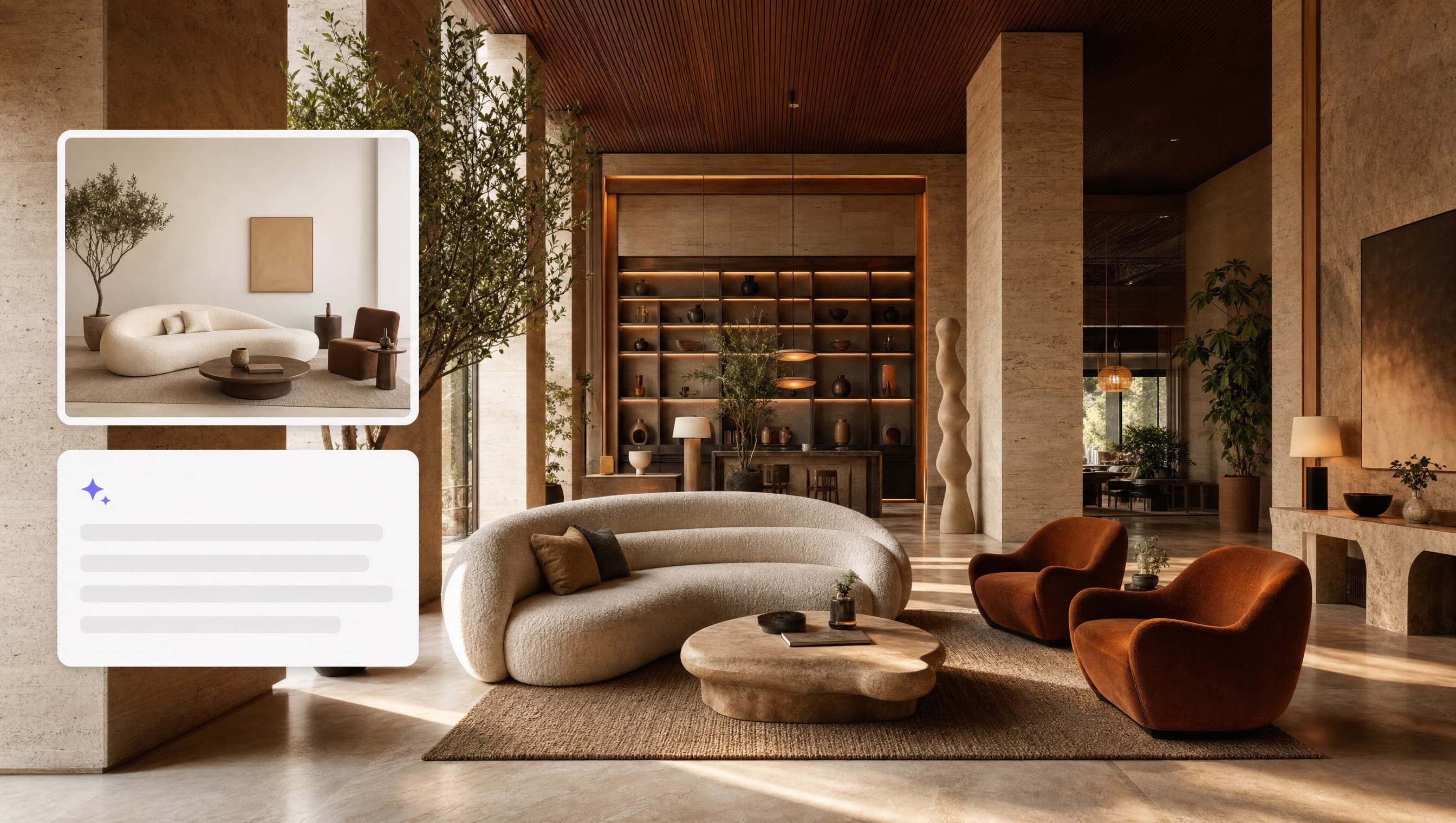
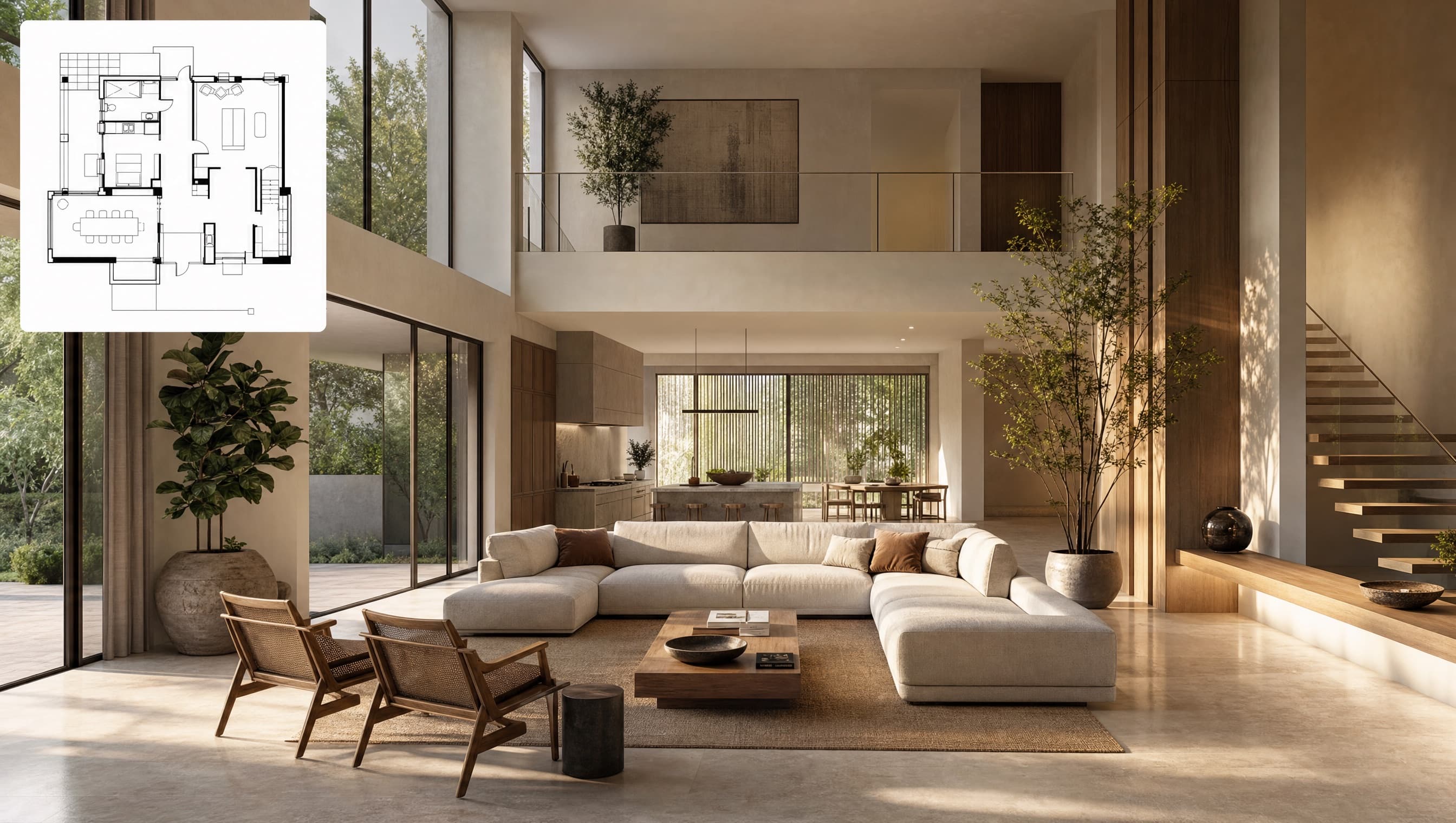
Plans to render
Show the finished space without hiding the source plan.
This is the clearest before-and-after story for architects, contractors, and clients: the plan stays visible, and the final interior is shown in full instead of cropped into a tiny card.
2D
Input plan
AI
Visualization
Ready
Presentation
3D generator
Generate furniture and buildings your clients can rotate.
Upload product or building references and turn them into exportable 3D assets for design reviews, client approvals, configurators, 3D printing, and immersive project decks.
Product photo -> 3D furniture asset
Same pattern used in My Content: thumbnail first, GLB viewer when the asset is ready.
Furniture and interior teams
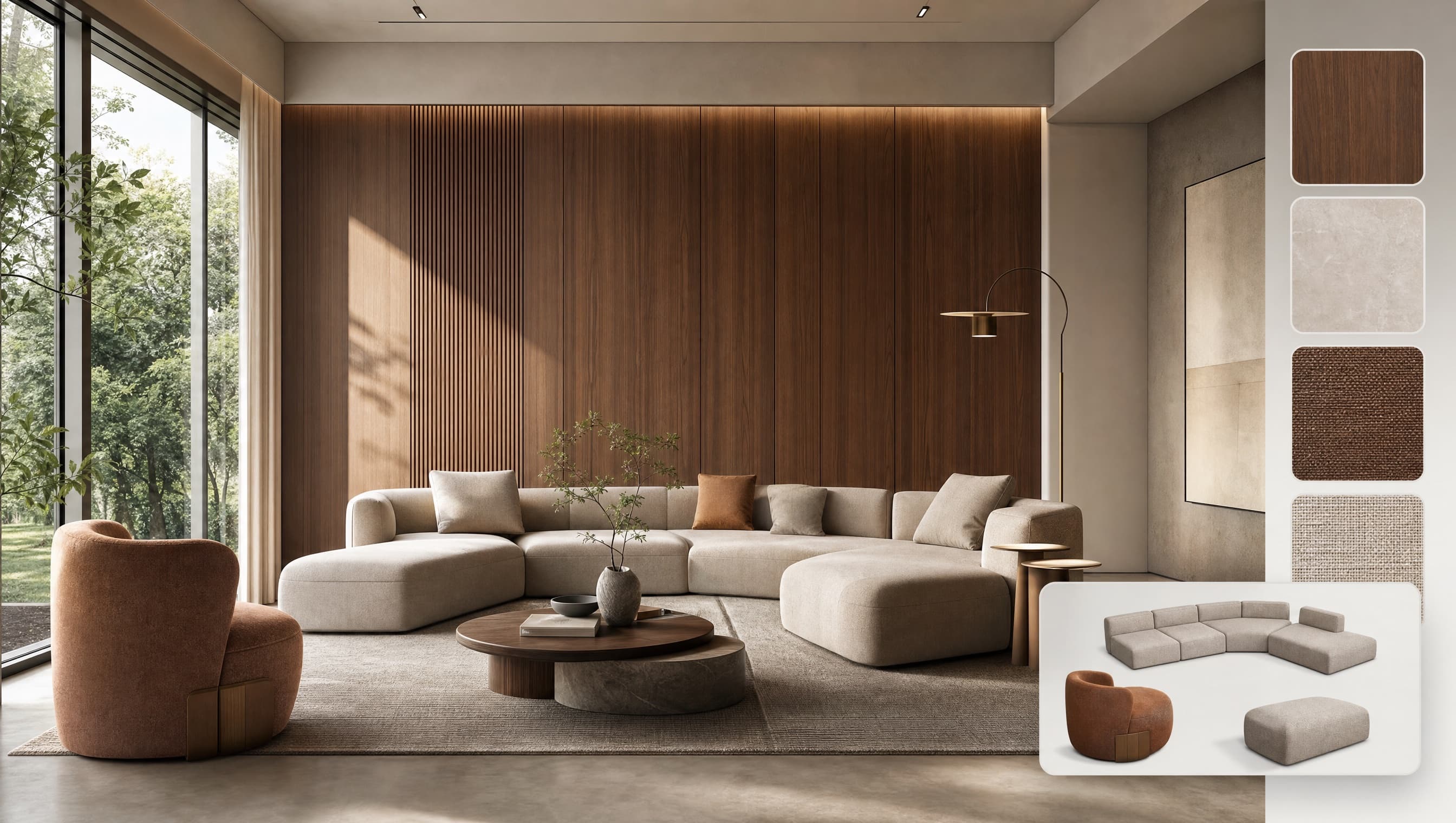
Go from product idea to room-ready sales visual.
For a furniture partner, Archie can support product concepting, catalog scenes, material exploration, 3D product assets, and client presentations without waiting on a full production cycle.
Features
THE DASHBOARD YOUR TEAM CAN USE TODAY
A focused toolset for architects, interior designers, contractors, developers, and furniture teams: create visuals, generate 3D assets, transform plans, and keep every output in one content library.
Image Creator
Create client-ready room concepts, furniture scenes, product visuals, and design variations from references and prompts.
3D Model
Turn furniture photos or building references into GLB/OBJ/FBX assets for 3D projects, presentations, configurators, and printing.
2D Plans -> Render
Move from floor plans and sketches to photorealistic visualizations that help clients approve decisions faster.
Dashboard navigation
The same workflow users see after login, simplified for the homepage.
Create
Transform
Design
Export
How It Works
THREE SIMPLE STEPS
Go from concept to photorealistic visualization in minutes, not weeks. No 3D expertise required.
Upload Your Plans
Drop your 2D plans, sketches, blueprints, or even rough drawings. Our AI understands all formats and scales.
Customize & Generate
Choose your style, lighting, furniture, and camera angles. Our AI handles the complex 3D work in minutes.
Download & Share
Export high-resolution renders, videos, and 3D models. Share directly with clients or integrate into your workflow.
Trusted by
READY TO BUILD
WITH ARCHIE?
Open the dashboard, start in ArchieCAD Studio, and turn your next plan into presentation-ready visuals.